How to Count Words in Airtable: Step-by-Step Guide
By Connor Finlayson||2 min read
Learn how to set up a word count formula in Airtable with our simple, step-by-step guide. Perfect for content creators, researchers, and project managers looking to streamline their workflows.
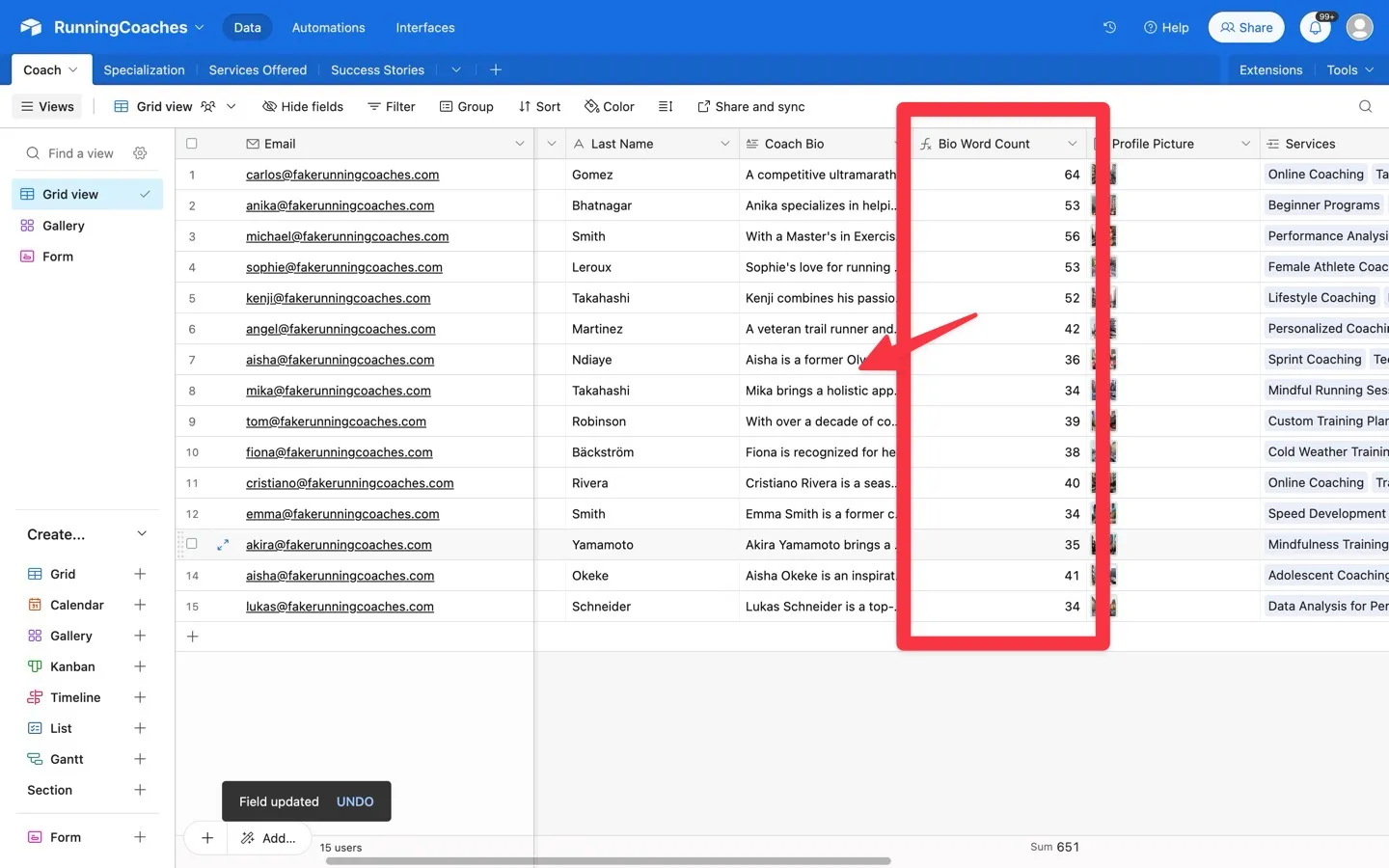
Tools covered: Airtable
Step-By-Step Guide
To do a word count in Airtable, you can use a formula field. Here's a step-by-step guide:
Add a Formula Field:
- Click on the "+" sign at the end of your table to add a new field.
- Choose "Formula" as the field type.
Use the Word Count Formula:
- In the formula field, you will use a combination of functions to count the words. Here’s a basic formula you can use:
LEN(TRIM({Your Text Field})) - LEN(SUBSTITUTE(TRIM({Your Text Field}), " ", "")) + 1- Replace
{Your Text Field}with the name of the field you want to count words in.
Adjust for Empty Fields:
- If your text field might be empty, you can use an
IFstatement to handle this case: IF({Your Text Field} = "", 0, LEN(TRIM({Your Text Field})) - LEN(SUBSTITUTE(TRIM({Your Text Field}), " ", "")) + 1)- This formula will return 0 if the field is empty, otherwise, it will return the word count.
Save the Formula:
- After entering the formula, click "Create Field" to save it. Your new formula field will now display the word count for each record in the specified text field.
Ready to learn more? Check out our Playbooks for step-by-step guidance.
View PlaybooksContinue Reading