Automate Your Tella to YouTube Workflow: Complete Guide
Build a complete Tella-to-YouTube automation system. Export, upload, and publish videos with one command. Save hours every week.

Automate Your Tella to YouTube Workflow: Complete Guide
You've created an amazing video in Tella. Now you want to publish it on YouTube. The manual process looks like this:
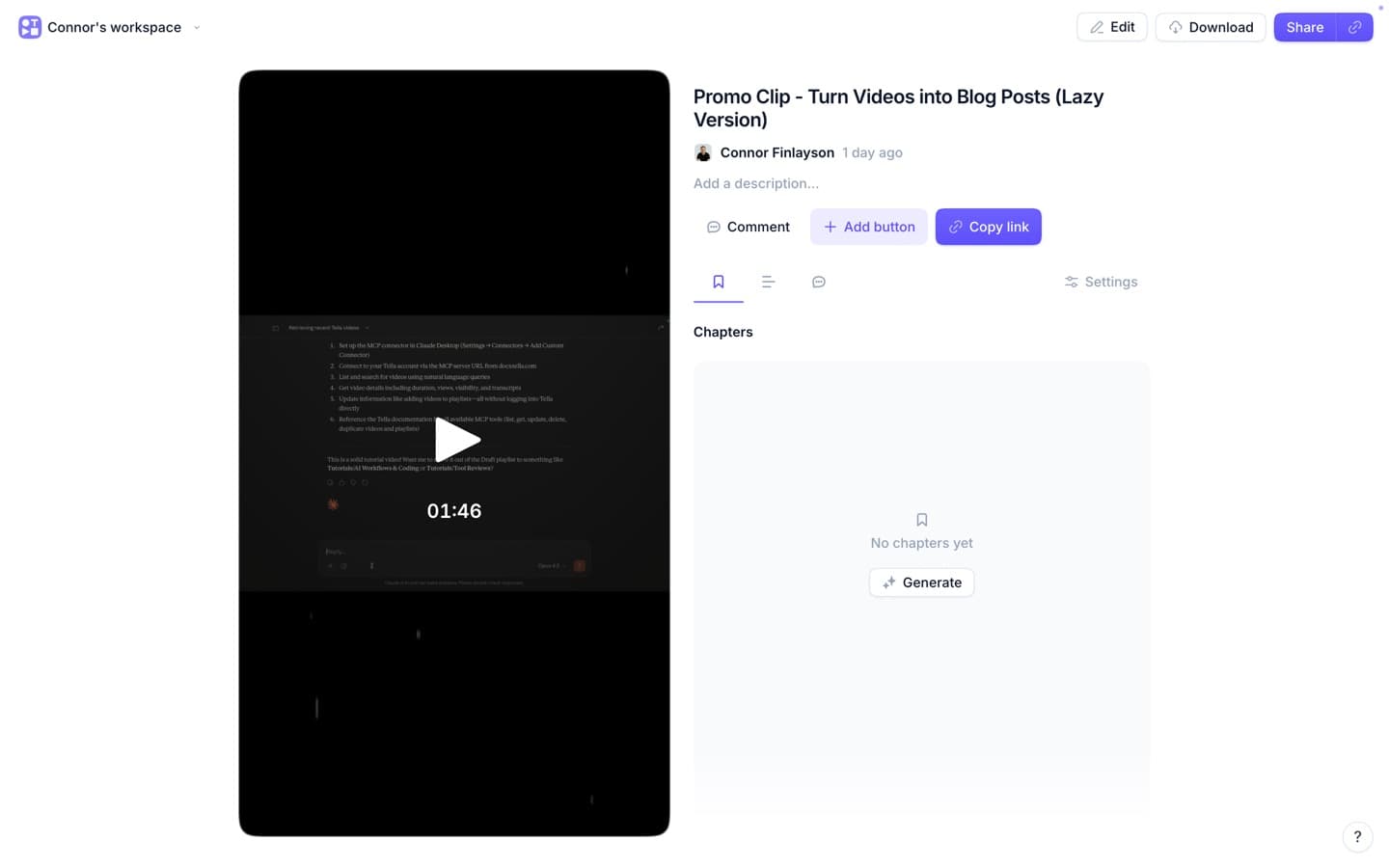
- Open Tella and find your video
- Click export and wait for it to process
- Download the video file
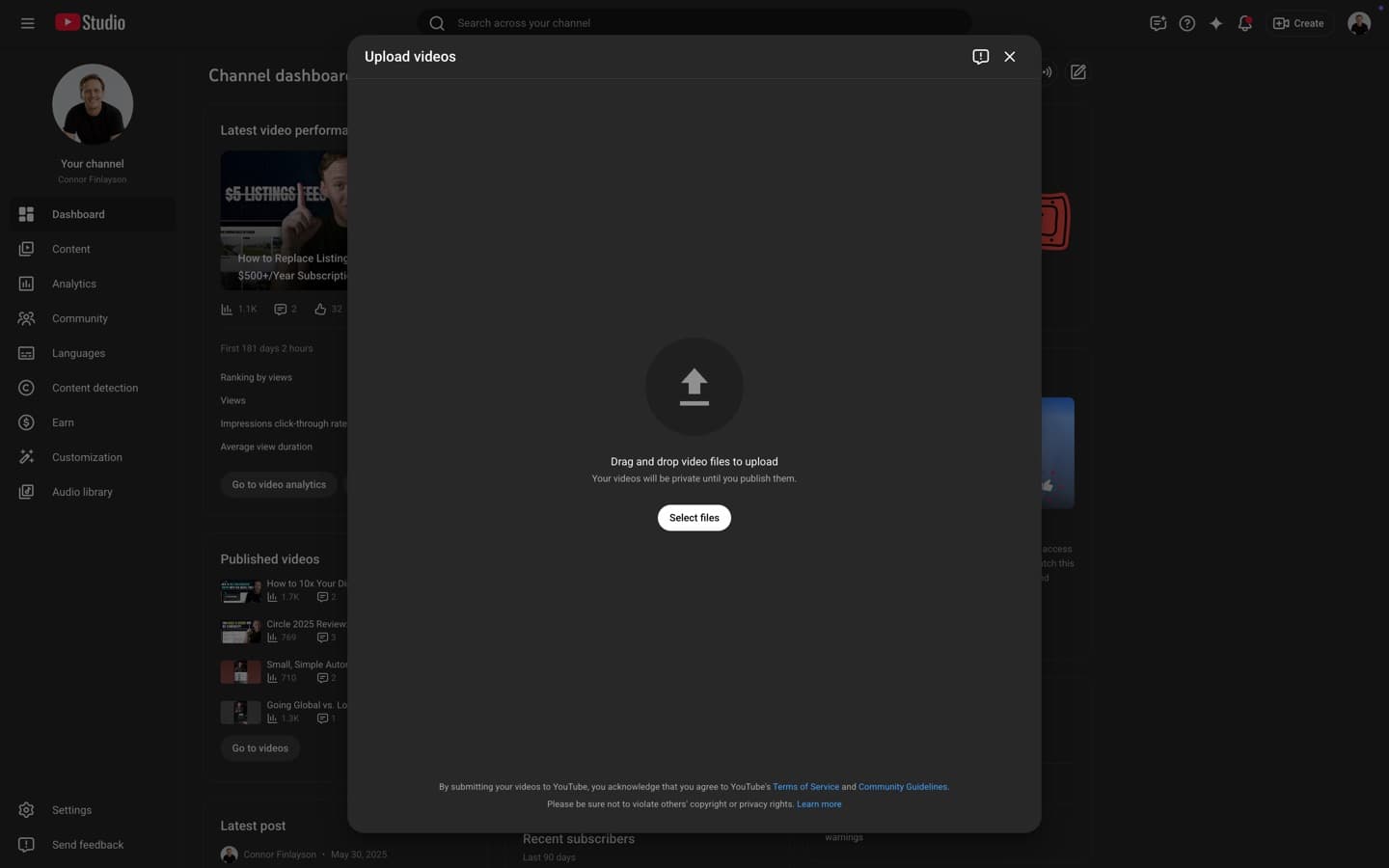
- Open YouTube Studio
- Upload the video
- Fill in title, description, tags
- Set privacy settings
- Click publish
- Wait for YouTube to process
- Share the link
Total time: 15-30 minutes (plus lots of clicking around)
What if you could automate all of this? Export from Tella, upload to YouTube, and publish—all with one command?
In this guide, I'll show you how to build a complete Tella-to-YouTube automation system that saves you hours every week.
Prerequisites: Familiarity with Tella MCP is helpful but not required. See Part 1: Getting Started with Tella MCP for background.
Table of Contents
- What You'll Learn
- Part 1: Understanding Video Exports
- Part 2: Setting Up YouTube Data API
- Part 3: The Complete Automation Script
- Part 4: Advanced Workflows
- YouTube API Quotas & Limits
- Troubleshooting
- Security Best Practices
- Real-World Use Cases
- Key Takeaways
- Resources
What You'll Learn
By the end of this guide, you'll be able to:
- Export videos from Tella programmatically
- Understand webhooks vs polling (in plain English)
- Set up YouTube Data API access
- Upload videos to YouTube automatically
- Add titles, descriptions, and tags programmatically
- Build a one-command publish workflow
Prerequisites
What you need:
- Tella account with API access (get your key at Settings → API)
- YouTube channel (free)
- Google Cloud account (free to create)
- Node.js installed (v16 or higher)
- Basic command line familiarity
Time to set up: 20-30 minutes (one-time setup)
Time to publish after setup: 2-3 minutes per video
The Complete Workflow
Here's what we're building:
Tella Video → Export → Download → YouTube Upload → Published!
Let's break this down into manageable steps.
Part 1: Understanding Video Exports from Tella
How Tella Exports Work
When you export a video from Tella, the platform needs to:
- Prepare the video file (encode, compress)
- Generate a download URL
- Make it available for you to download
This process takes time—usually 2-10 minutes depending on video length.
Two Ways to Know When Export is Ready
There are two approaches: Polling and Webhooks. Let's understand both.
Method 1: Polling (The Simple Way)
What is polling?
Imagine you ordered a pizza and they said "it'll be ready in 20 minutes." You could:
- Call them every 2 minutes: "Is it ready yet?"
- They say "no" 9 times
- On the 10th call, they say "yes, come pick it up!"
That's polling. You repeatedly check if something is ready.
Polling with Tella:
// Start the export
const exportResponse = await fetch(
  `https://api.tella.com/v1/videos/${videoId}/exports`,
  {
    method: 'POST',
    headers: { 'Authorization': `Bearer ${TELLA_API_KEY}` }
  }
);

// Check every 30 seconds until ready
async function waitForExport(videoId) {
  while (true) {
    // Wait 30 seconds
    await new Promise(resolve => setTimeout(resolve, 30000));

    // Check if export is ready
    const status = await checkExportStatus(videoId);

    if (status.state === 'ready') {
      console.log('✅ Export ready!');
      console.log('Download URL:', status.downloadUrl);
      return status.downloadUrl;
    }

    console.log('⏳ Still processing... checking again in 30 seconds');
  }
}

const downloadUrl = await waitForExport(videoId);
Pros:
- Simple to understand
- Easy to implement
- No additional infrastructure needed
Cons:
- Wastes API calls (checking when nothing is ready)
- Not instant (you check every 30 seconds, might miss the exact moment it's ready)
Method 2: Webhooks (The Smart Way)
What is a webhook?
Back to the pizza analogy: Instead of calling every 2 minutes, you give them your phone number and say "call me when it's ready."
They cook the pizza → When ready → They call you → You go pick it up.
That's a webhook. The service notifies you when something happens.
How Webhooks Work (Step-by-Step):
Step 1: You create a "listener" URL
This is like giving someone your phone number. You set up a URL that can receive notifications:
https://yourapp.com/tella-webhook
Step 2: You tell Tella about your webhook
"Hey Tella, when exports are done, send a notification to my URL"
(This is configured in Tella's webhook settings or via API)
Step 3: You start an export
POST https://api.tella.com/v1/videos/vid_123/exports
Step 4: You go do other things
Your script doesn't need to keep checking. It can:
- Process other videos
- Handle other tasks
- Just wait quietly
Step 5: Tella finishes the export
(2-10 minutes later...)
Step 6: Tella sends you a notification
Tella automatically makes a POST request to your webhook URL:
// This is what Tella sends to your webhook:
POST https://yourapp.com/tella-webhook
{
  "event": "export.ready",
  "videoId": "vid_123",
  "exportId": "exp_456",
  "downloadUrl": "https://tella.tv/download/xyz789.mp4",
  "expiresAt": "2026-01-14T12:00:00Z"
}
Step 7: Your webhook receives it and downloads the file
// Your webhook endpoint (using Express.js)
app.post('/tella-webhook', async (req, res) => {
  const { event, videoId, downloadUrl } = req.body;

  if (event === 'export.ready') {
    console.log('🎉 Video ready:', videoId);

    // Download the file
    await downloadFile(downloadUrl, `./videos/${videoId}.mp4`);

    // Upload to YouTube
    await uploadToYouTube(`./videos/${videoId}.mp4`);

    console.log('✅ Published to YouTube!');
  }

  // Acknowledge receipt
  res.status(200).send('OK');
});
Pros:
- Instant notification when ready
- No wasted API calls
- More efficient
- Can process multiple videos simultaneously
Cons:
- Requires a server/URL that's always accessible
- Slightly more complex to set up
Which Method Should You Use?
Use Polling if:
- You're just getting started
- You process 1-5 videos at a time
- You don't have a server set up yet
Use Webhooks if:
- You're processing many videos
- You want instant notifications
- You're building a production system
- You have a server (or use services like Vercel, Netlify)
For this tutorial: We'll show both approaches so you can choose!
Part 2: Setting Up YouTube Data API
Now that you can get videos from Tella, let's set up YouTube so you can upload them.
Step 1: Create a Google Cloud Project
- Go to Google Cloud Console
- Click "Select a project" → "New Project"
- Name it something like "Tella YouTube Automation"
- Click "Create"
Step 2: Enable YouTube Data API v3
- In your new project, click the hamburger menu (☰)
- Go to "APIs & Services" → "Library"
- Search for "YouTube Data API v3"
- Click on it, then click "Enable"
Step 3: Set Up OAuth 2.0 Credentials
Why OAuth 2.0?
YouTube needs to know which YouTube channel to upload videos to. OAuth 2.0 is how you prove "I'm the owner of this channel and I give this app permission to upload."
Setting it up:
- Go to "APIs & Services" → "Credentials"
- Click "Create Credentials" → "OAuth client ID"
- If prompted, configure the OAuth consent screen:
- Choose "External" (unless you have a Google Workspace)
- App name: "Tella YouTube Automation"
- User support email: Your email
- Developer contact: Your email
- Click "Save and Continue"
- Scopes: Click "Save and Continue" (we'll add later)
- Test users: Add your email
- Click "Save and Continue"
- Back to "Create OAuth client ID":
- Application type: "Desktop app"
- Name: "Tella Automation Client"
- Click "Create"
- Download the JSON file - this is your
client_secrets.json - Save it securely (don't commit to GitHub!)
Step 4: Install Required Libraries
npm install googleapis dotenv
Step 5: First-Time Authorization
You need to authorize your app once. Here's a script to do it:
authorize-youtube.js:
import { google } from 'googleapis';
import fs from 'fs';
import readline from 'readline';

const CLIENT_SECRETS_FILE = './client_secrets.json';
const TOKEN_FILE = './youtube-token.json';
const SCOPES = ['https://www.googleapis.com/auth/youtube.upload'];

async function authorize() {
  // Load client secrets
  const credentials = JSON.parse(fs.readFileSync(CLIENT_SECRETS_FILE));
  const { client_id, client_secret, redirect_uris } = credentials.installed;

  // Create OAuth2 client
  const oauth2Client = new google.auth.OAuth2(
    client_id,
    client_secret,
    redirect_uris[0]
  );

  // Check if we already have a token
  if (fs.existsSync(TOKEN_FILE)) {
    const token = JSON.parse(fs.readFileSync(TOKEN_FILE));
    oauth2Client.setCredentials(token);
    console.log('✅ Already authorized!');
    return oauth2Client;
  }

  // Generate auth URL
  const authUrl = oauth2Client.generateAuthUrl({
    access_type: 'offline',
    scope: SCOPES
  });

  console.log('🔐 Authorize this app by visiting this URL:');
  console.log(authUrl);
  console.log('');

  // Get code from user
  const rl = readline.createInterface({
    input: process.stdin,
    output: process.stdout
  });

  const code = await new Promise((resolve) => {
    rl.question('Enter the code from that page here: ', (code) => {
      rl.close();
      resolve(code);
    });
  });

  // Exchange code for token
  const { tokens } = await oauth2Client.getToken(code);
  oauth2Client.setCredentials(tokens);

  // Save token for future use
  fs.writeFileSync(TOKEN_FILE, JSON.stringify(tokens));
  console.log('✅ Token saved to', TOKEN_FILE);

  return oauth2Client;
}

// Run it
authorize()
  .then(() => console.log('🎉 Authorization complete!'))
  .catch(console.error);
Run it once:
node authorize-youtube.js
This will:
- Open a browser window
- Ask you to sign in to Google
- Ask you to authorize the app
- Give you a code to paste back
- Save your token for future use
You only do this once! After that, the token is saved and you can upload automatically.
Part 3: The Complete Automation Script
Now let's put it all together. This script will:
- Export a video from Tella
- Wait for it to be ready (polling method)
- Download the video file
- Upload to YouTube with metadata
- Return the YouTube URL
tella-to-youtube.js:
import 'dotenv/config';
import { google } from 'googleapis';
import fs from 'fs';
import fetch from 'node-fetch';

// Configuration
const TELLA_API_KEY = process.env.TELLA_API_KEY;
const TELLA_BASE_URL = 'https://api.tella.com/v1';
const TOKEN_FILE = './youtube-token.json';

// Initialize YouTube client
function getYouTubeClient() {
  const credentials = JSON.parse(fs.readFileSync('./client_secrets.json'));
  const { client_id, client_secret, redirect_uris } = credentials.installed;

  const oauth2Client = new google.auth.OAuth2(
    client_id,
    client_secret,
    redirect_uris[0]
  );

  const token = JSON.parse(fs.readFileSync(TOKEN_FILE));
  oauth2Client.setCredentials(token);

  return google.youtube({ version: 'v3', auth: oauth2Client });
}

// Step 1: Start Tella export
async function startTellaExport(videoId) {
  console.log('📤 Starting export for video:', videoId);

  const response = await fetch(`${TELLA_BASE_URL}/videos/${videoId}/exports`, {
    method: 'POST',
    headers: {
      'Authorization': `Bearer ${TELLA_API_KEY}`,
      'Content-Type': 'application/json'
    }
  });

  if (!response.ok) {
    throw new Error(`Export failed: ${response.statusText}`);
  }

  const data = await response.json();
  console.log('✅ Export started:', data.export.id);
  return data.export;
}

// Step 2: Wait for export to complete (polling)
async function waitForExport(videoId, exportId) {
  console.log('⏳ Waiting for export to complete...');

  while (true) {
    await new Promise(resolve => setTimeout(resolve, 30000)); // Wait 30 seconds

    const response = await fetch(
      `${TELLA_BASE_URL}/videos/${videoId}/exports/${exportId}`,
      {
        headers: { 'Authorization': `Bearer ${TELLA_API_KEY}` }
      }
    );

    const data = await response.json();
    const status = data.export.status;

    console.log(`Status: ${status}`);

    if (status === 'completed') {
      console.log('✅ Export ready!');
      return data.export.downloadUrl;
    }

    if (status === 'failed') {
      throw new Error('Export failed');
    }
  }
}

// Step 3: Download video from Tella
async function downloadVideo(downloadUrl, outputPath) {
  console.log('⬇️  Downloading video...');

  const response = await fetch(downloadUrl);
  const fileStream = fs.createWriteStream(outputPath);

  await new Promise((resolve, reject) => {
    response.body.pipe(fileStream);
    response.body.on('error', reject);
    fileStream.on('finish', resolve);
  });

  console.log('✅ Downloaded to:', outputPath);
}

// Step 4: Upload to YouTube
async function uploadToYouTube(filePath, metadata) {
  console.log('📤 Uploading to YouTube...');

  const youtube = getYouTubeClient();

  const response = await youtube.videos.insert({
    part: 'snippet,status',
    requestBody: {
      snippet: {
        title: metadata.title,
        description: metadata.description,
        tags: metadata.tags || [],
        categoryId: metadata.categoryId || '22' // People & Blogs
      },
      status: {
        privacyStatus: metadata.privacyStatus || 'public',
        selfDeclaredMadeForKids: false
      }
    },
    media: {
      body: fs.createReadStream(filePath)
    }
  });

  const videoId = response.data.id;
  const videoUrl = `https://www.youtube.com/watch?v=${videoId}`;

  console.log('✅ Uploaded to YouTube!');
  console.log('🎥 Watch at:', videoUrl);

  return { videoId, videoUrl };
}

// Main workflow
async function publishTellaVideoToYouTube(tellaVideoId, metadata) {
  try {
    console.log('🚀 Starting Tella → YouTube workflow\n');

    // 1. Export from Tella
    const exportData = await startTellaExport(tellaVideoId);

    // 2. Wait for export
    const downloadUrl = await waitForExport(tellaVideoId, exportData.id);

    // 3. Download video
    const tempFile = `./temp-${tellaVideoId}.mp4`;
    await downloadVideo(downloadUrl, tempFile);

    // 4. Upload to YouTube
    const youtubeData = await uploadToYouTube(tempFile, metadata);

    // 5. Clean up
    fs.unlinkSync(tempFile);
    console.log('🧹 Cleaned up temp file');

    console.log('\n🎉 Complete! Video published to YouTube');
    return youtubeData;

  } catch (error) {
    console.error('❌ Error:', error.message);
    throw error;
  }
}

// Example usage
const tellaVideoId = 'vid_your_video_id_here';
const metadata = {
  title: 'How to Automate Your Video Workflow',
  description: `In this video, I show you how to automate publishing from Tella to YouTube.

🔗 Resources:
- Tella: https://tella.tv
- Full tutorial: [your blog link]

#automation #tella #youtube`,
  tags: ['automation', 'tella', 'youtube', 'tutorial'],
  categoryId: '22', // People & Blogs
  privacyStatus: 'public' // or 'private' or 'unlisted'
};

publishTellaVideoToYouTube(tellaVideoId, metadata)
  .then(result => {
    console.log('\n✅ Success!');
    console.log('YouTube Video ID:', result.videoId);
    console.log('URL:', result.videoUrl);
  })
  .catch(error => {
    console.error('Failed:', error);
    process.exit(1);
  });
Running the Script
# First time: Set up environment
echo "TELLA_API_KEY=your_tella_api_key" > .env

# Authorize YouTube (one time)
node authorize-youtube.js

# Publish a video
node tella-to-youtube.js
Part 4: Advanced Workflows
Auto-Upload with Tella MCP
You can combine this with Tella MCP for a conversational workflow:
You: "Find my latest tutorial video and publish it to YouTube"

Claude:
1. Uses Tella MCP to find your latest video
2. Gets the video details and transcript
3. Uses the transcript to generate an SEO-optimized YouTube description
4. Runs the publish script
5. Returns the YouTube URL

Done! Your video 'Advanced Webflow Tutorial' is now live at:
https://youtube.com/watch?v=abc123
Batch Publishing
Publish multiple videos at once:
const videosToPublish = [
  {
    tellaId: 'vid_123',
    title: 'Tutorial Part 1',
    description: 'First part of the series'
  },
  {
    tellaId: 'vid_456',
    title: 'Tutorial Part 2',
    description: 'Second part of the series'
  }
];

for (const video of videosToPublish) {
  await publishTellaVideoToYouTube(video.tellaId, {
    title: video.title,
    description: video.description,
    tags: ['tutorial', 'series'],
    privacyStatus: 'unlisted' // Publish as unlisted first
  });

  // Wait 1 minute between uploads to avoid rate limiting
  await new Promise(resolve => setTimeout(resolve, 60000));
}
Scheduled Publishing
Use YouTube's scheduled publish feature:
const youtubeMetadata = {
  title: 'My Scheduled Video',
  description: 'This will go live tomorrow',
  privacyStatus: 'private',
  publishAt: '2026-01-15T10:00:00Z' // ISO 8601 format
};
YouTube API Quotas & Limits
Daily Quotas
- Default quota: 10,000 units per day (free)
- Video upload cost: ~1,600 units
- Maximum uploads per day: ~6 videos (with default quota)
Request Higher Quota
If you need to upload more:
- Go to Google Cloud Console
- Navigate to "APIs & Services" → "Quotas"
- Find "YouTube Data API v3"
- Click "Edit Quotas"
- Fill out the quota increase request form
Typical approval time: 1-3 business days
Upload Limits
File Size:
- Maximum: 256GB per video
- Recommended: Under 1GB for faster uploads
Video Length:
- Unverified accounts: 15 minutes maximum
- Verified accounts: Unlimited (verify at youtube.com/verify)
Best Practices:
- Use resumable uploads for files over 5MB
- Implement retry logic for network failures
- Process videos during off-peak hours
Troubleshooting
"Export takes too long"
Problem: Export sits in "processing" state for 20+ minutes
Solutions:
- Check if your video is very large (>2GB files take longer)
- Verify the export actually started (check Tella dashboard)
- Contact Tella support if consistently slow
"YouTube upload fails with 403"
Problem: The request cannot be completed because you have exceeded your quota
Solutions:
- Check your quota usage in Google Cloud Console
- Wait 24 hours for quota to reset
- Request quota increase
"Invalid credentials error"
Problem: YouTube API returns authentication errors
Solutions:
- Re-run
authorize-youtube.jsto refresh your token - Check that
youtube-token.jsonexists and is valid - Verify OAuth consent screen is configured correctly
"Download URL expired"
Problem: Tella download URL returns 403 or 404
Solutions:
- Download URLs typically expire after 24 hours
- Download immediately after export completes
- If expired, start a new export
Security Best Practices
Protect Your API Keys
Never commit these files:
.env
client_secrets.json
youtube-token.json
Add to .gitignore:
.env
client_secrets.json
youtube-token.json
*.mp4
temp-*
Use Environment Variables
// ✅ Good
const API_KEY = process.env.TELLA_API_KEY;

// ❌ Bad
const API_KEY = 'tella_pk_hardcoded_key_here';
Secure Your Webhook Endpoint
If using webhooks, verify requests are actually from Tella:
app.post('/tella-webhook', (req, res) => {
  // Verify webhook signature
  const signature = req.headers['x-tella-signature'];

  if (!verifySignature(signature, req.body)) {
    return res.status(401).send('Invalid signature');
  }

  // Process webhook...
});
Real-World Use Cases
Daily Content Creator
Scenario: You record one tutorial per day and want it live on YouTube every morning.
Solution:
- Record and edit in Tella the night before
- Run automation script before bed
- Set
privacyStatus: 'private'andpublishAtfor 9am next day - Wake up to published video
Course Platform
Scenario: You have 50 course videos in Tella that need to be on YouTube.
Solution:
- Export all video IDs from Tella using MCP
- Generate YouTube metadata (titles, descriptions) from Tella transcripts using AI
- Batch upload with 1-minute delays between each
- Create a YouTube playlist programmatically
Client Deliverables
Scenario: You create client videos in Tella and need to deliver them via YouTube unlisted links.
Solution:
- Use Tella MCP to find videos tagged with client name
- Auto-generate professional descriptions
- Upload as unlisted
- Send YouTube links to client automatically via email
The ROI
Let's calculate the time savings:
Manual Process (Per Video):
- Find video in Tella: 1 minute
- Export and wait: 10 minutes (but you're watching/waiting)
- Download: 2 minutes
- Open YouTube Studio: 1 minute
- Upload and wait: 5 minutes (watching progress)
- Fill in metadata: 3 minutes
- Set privacy and publish: 1 minute
- Total active time: 13 minutes
- Total wait time: 10 minutes
- Total: 23 minutes per video
Automated Process (Per Video):
- Update metadata in script: 2 minutes
- Run command: 10 seconds
- Go do other work while it processes: 0 minutes (it's automated!)
- Total active time: 2 minutes
Time saved per video: 21 minutes
If you publish 4 videos per week:
- Manual: 92 minutes per week (1.5 hours)
- Automated: 8 minutes per week
- Savings: 84 minutes per week = 73 hours per year
That's nearly 2 full work weeks you can reinvest in creating better content!
What's Next?
You now have a complete Tella-to-YouTube automation system. Take it further:
- Add thumbnail automation: Generate custom thumbnails programmatically
- Auto-create playlists: Organize videos by topic automatically
- Cross-post to multiple platforms: TikTok, Instagram, Facebook
- Analytics integration: Track performance across platforms
- AI-powered metadata: Use AI to generate titles, descriptions, tags from transcripts
The infrastructure is in place. Now scale it!
Key Takeaways
Now that you understand Tella-to-YouTube automation, you can:
- Publish videos with one command - Export from Tella and upload to YouTube automatically
- Understand polling vs webhooks - Choose the right approach for your workflow complexity
- Set up YouTube Data API - Configure OAuth 2.0 for programmatic video uploads
- Batch process multiple videos - Upload entire video libraries efficiently
- Save hours every week - Reduce manual publishing time by 90%
Next Step: Combine all four workflows from this series to build a complete video content automation system.
Resources
- Tella API Documentation - Full API endpoint documentation
- Tella MCP Documentation - MCP setup and tools reference
- YouTube Data API Guide - Official upload documentation
- Google Cloud Console - API credentials management
Related Articles
- Part 1: Getting Started with Tella MCP
- Part 2: Turn Video Transcripts into Blog Posts
- Part 3: Creating Highlight Clips with Tella API
Tools Mentioned
- Tella - Screen recording and video editing platform
- Claude Desktop - AI assistant with MCP support
- Google Cloud Console - API credentials and quota management
- Node.js - JavaScript runtime for automation scripts
FAQ
Q: How many videos can I upload per day?
A: With the default YouTube API quota (10,000 units), you can upload approximately 6 videos per day. Request a quota increase for higher volume.
Q: Can I schedule videos to publish later?
A: Yes! Set privacyStatus: 'private' and add publishAt: '2026-01-15T10:00:00Z' to schedule a video for a specific time.
Q: What happens if my export takes longer than expected?
A: The polling approach handles this automatically by checking every 30 seconds. For webhooks, Tella will send the notification when ready regardless of how long processing takes.
Q: Do I need a YouTube Premium account?
A: No. YouTube Data API is available to all YouTube users. You just need a Google Cloud account (free) and a YouTube channel.
Questions or issues? Drop a comment below or connect with me on social media!
Ready to learn more? Check out our Playbooks for step-by-step guidance.
View PlaybooksContinue Reading